# Verifier l'état d'un cluster sous PaceMaker
[](https://cavallone.fr/uploads/images/gallery/2024-10/qAMgl7mXZOkuidT5-image.png)
[](https://cavallone.fr/uploads/images/gallery/2024-10/4Ou5pc78vSnBLQMF-image.png)
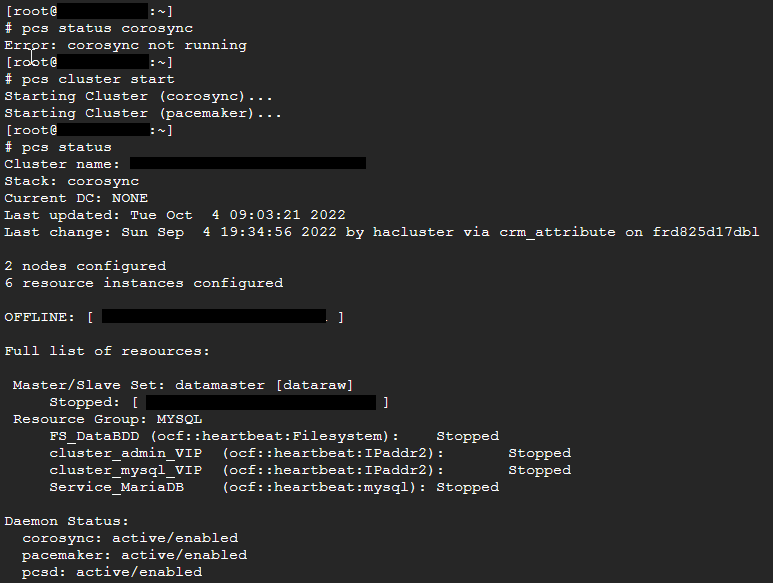
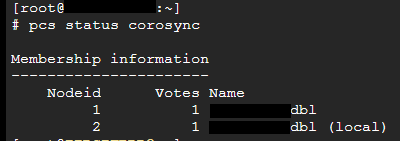
Pour l'alerte suivante : App-DRBD-Monitor --> DRBD: 1 crit, 0 okay:
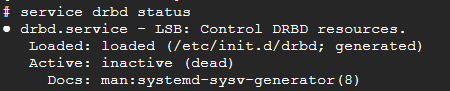
Le service drbd ne doit pas être démarré manullement : il est géré par pacemaker via les commandes pcs
[](https://cavallone.fr/uploads/images/gallery/2024-10/fM5idsYBQwBL2TL0-image.png)
Identifier l'état du cluster :
drbdadm status
drbdmon (ne doit pas afficher d'alerte )
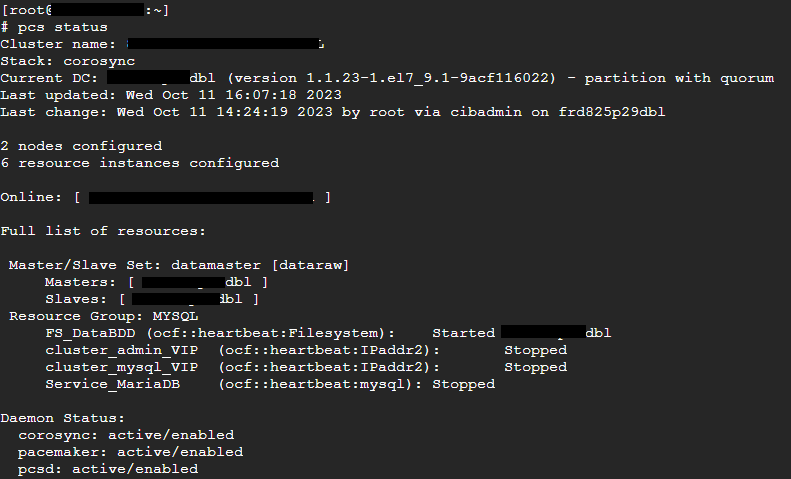
Mettre les sonde drbd en maintenance et procéder à une resynchronisation drbd
[](https://cavallone.fr/uploads/images/gallery/2024-10/qUsCbRID6BGifUjt-image.png)
[](https://cavallone.fr/uploads/images/gallery/2024-10/FuAytsvFMKmxWbD2-image.png)
[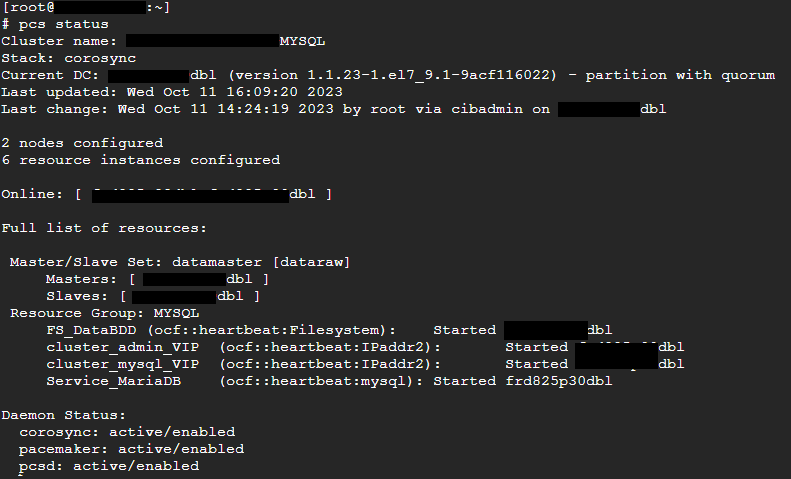](https://cavallone.fr/uploads/images/gallery/2024-10/4nFz4W7JPq8lWHCb-image.png)
Déplacement des ressoures action préreboot/maj :
Vérifier l'etat du cluster
pcs status --full drbdadm status
drbdmon (ne doit pas afficher d'alerte )
Si drbd ok: déplacer les ressources sur le nœud sur lequel il n'y aura pas d'opération pcs resource move NOM\_DU\_GROUP\_DE\_RESOURCE (exemple ci dessus : MYSQL )
Vérifier le déplacement des resource avec pcs status mettre le nœud secondaire (sur lequel on va faire la mise à jour ou le reboot) en maintenance
pcs node maintenance nomdunoeud
mettre ensuite le nœud en standby
pcs node standby nomdunoeud
procéder aux opérations de maintenance